Back up & export Teams chats to PDF
Save any Microsoft Teams chat or channel to a private, searchable archive in your browser, then export it as PDF, HTML or TXT. No admin, no account, nothing uploaded.

From Teams to your own copy in minutes
Teams has no export button for your chats. Teams Chat Backup adds one, and gives you a place to keep and search everything you save.
Pick the chats to save
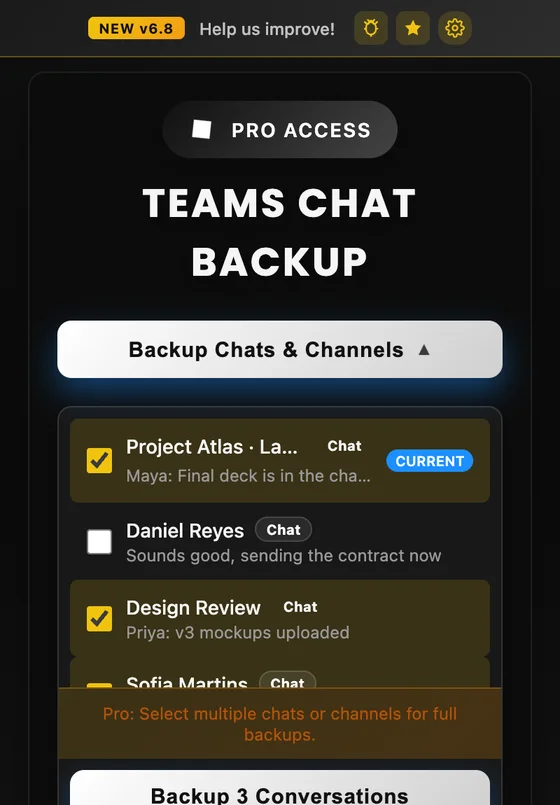
Open Teams in Chrome and click the extension. It lists your chats, group chats, meetings and channels so you can choose one, or several at once with Pro.
- One-to-one, group and meeting chats
- Channel conversations and replies
- The chat you have open, with one click
It scrolls the history for you
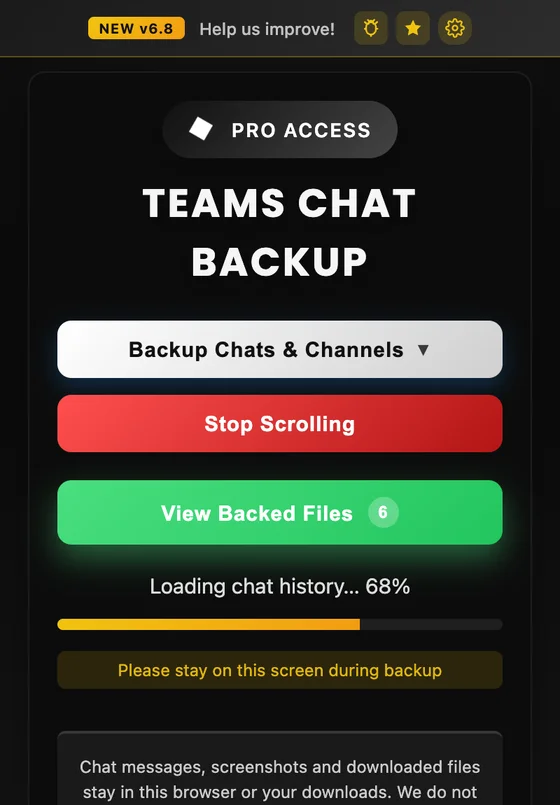
No more scrolling up for hours or copy-pasting. The extension loads the whole conversation, messages, names, dates and images included, and saves progress as it goes.
- Months or years of history with Long Chat Mode
- Progress is saved, so interrupted backups can continue
- Works with Teams in any language
Your private Teams archive
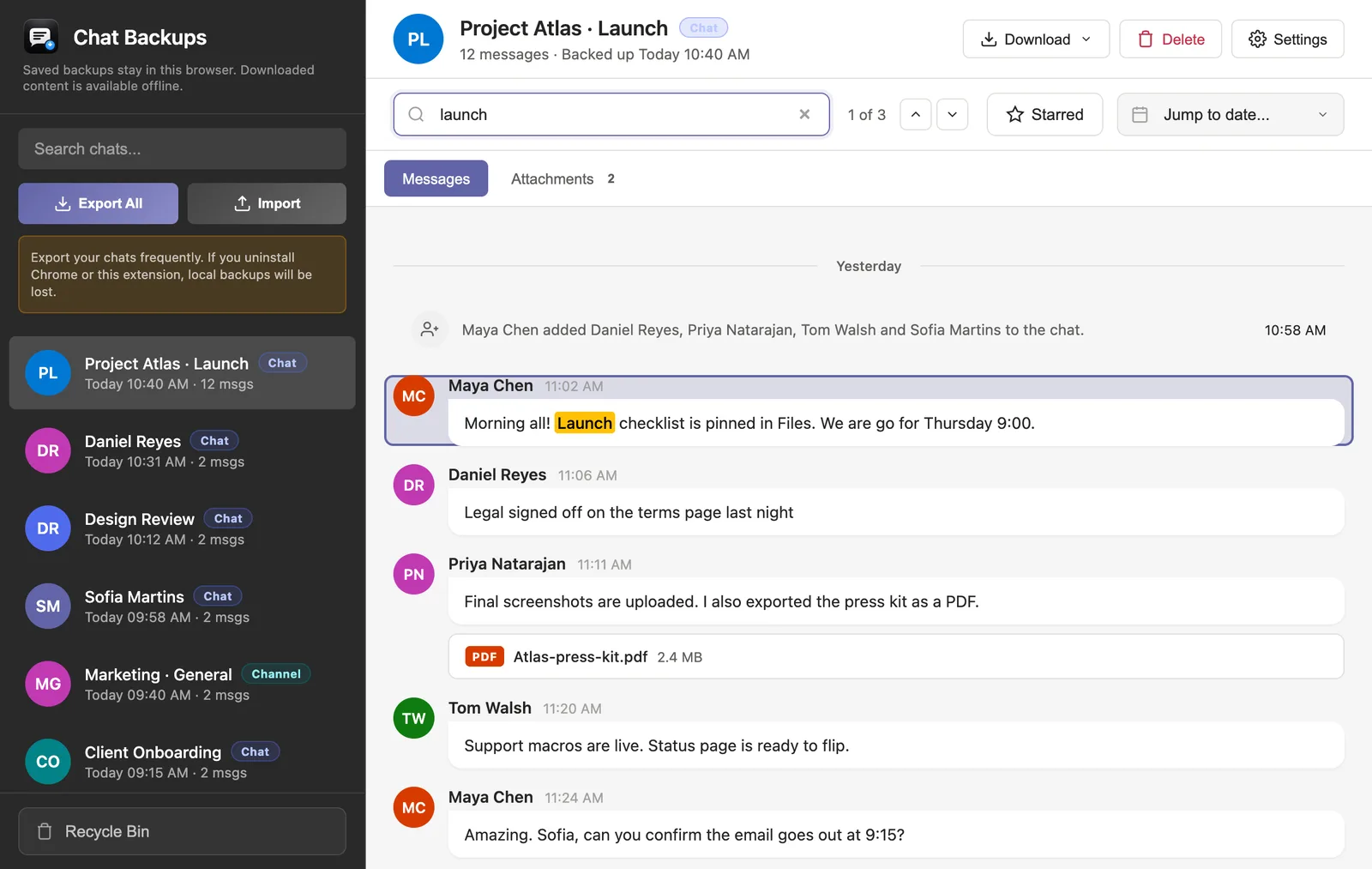
Every backup opens in a Teams-style viewer inside your browser. Read it offline, search every message and jump to any date, even after you lose access to Teams.
- Search with highlighted matches
- Jump to any date in long histories
- Star, edit or hide messages in your copy
Export PDF, HTML or TXT
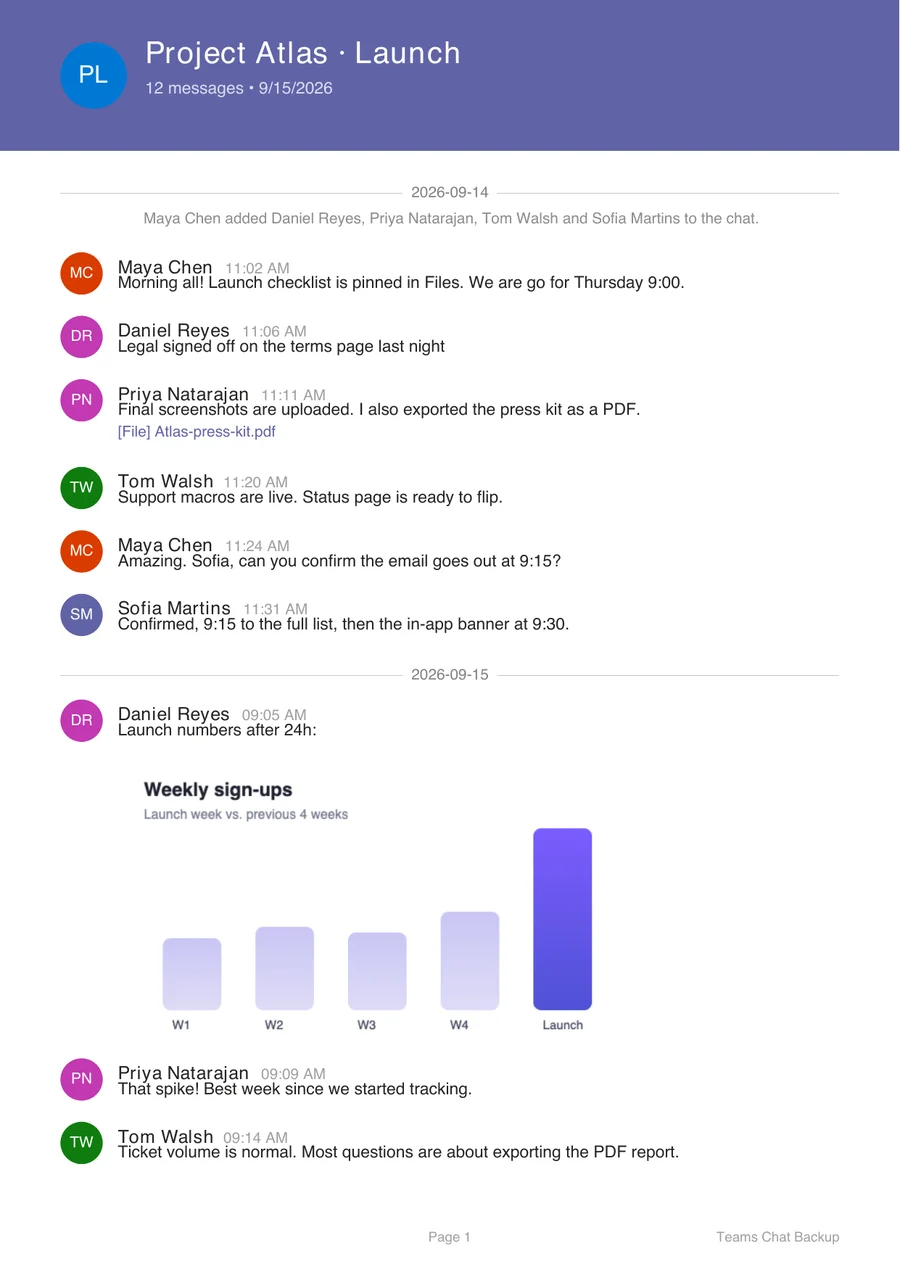
Download any conversation as a clean PDF to share or print, a self-contained HTML page that opens in any browser, or a plain TXT transcript for search and AI tools.
- Names, dates, times and images included
- Works offline, no account needed
- Open a sample PDF export
Keep the conversations that matter
Changing jobs
Keep a personal copy of your own work conversations before your account is closed, where your employer’s policy allows it.
Project handovers
Hand a teammate the full history of a project chat as a single PDF instead of “scroll up, it’s in there somewhere”.
Records & disputes
Save dated, attributed messages with clients, contractors or landlords so you can find exactly what was agreed.
Before access expires
Guest access, school accounts and trials end. Back up the chats first and read them offline later.
Find anything fast
Teams search is slow on long chats. Your archive searches instantly and jumps straight to the date.
Summaries with AI
Export a TXT transcript and paste it into your AI assistant to summarize decisions or action items.
Nothing leaves your computer
Teams Chat Backup has no backup server. Your messages are read in your browser, stored in your browser and exported to your computer. That’s it.
- Access only when you click. Chrome gives the extension temporary access to the Teams tab when you open it. There is no always-on access and no access to your browsing history.
- Stored locally. Backups live in the extension’s IndexedDB database in your browser profile. You can delete them any time.
- No analytics or ads. The extension does not use analytics or advertising networks.
- Pro checks send a License ID only. Buying or restoring Pro sends a random License ID to RevenueCat. Never chat content.

activeTab- Reads the Teams tab only after you click the extension
scripting- Runs the backup in that tab
storage- Keeps settings, progress and Pro status on your device
alarms- Confirms a Pro checkout for up to 30 minutes, never starts backups
downloads- Optional. Asked only when you download a file
Not requested: access to all websites, browsing history, or any server to store your chats.
Start free. Pay once for Pro.
No subscription. Pro is a single payment that stays unlocked on your browser profile.
Free
Try it on the chat you need most
- One full chat backup per browser profile
- Private viewer with search
- Export to PDF, HTML and TXT
- Exports include free-version branding
Pro
For everyone who lives in Teams
- Unlimited chats and channels
- Update backups with new messages
- Back up several chats in one run
- File attachments in backups
- Bulk import and export (ZIP)
- No branding on exports
Pro is unlocked from the extension popup and tied to your Chrome profile. Moving to a new computer? Use Restore Purchase. See the refund policy.
What it does, and doesn’t
It does
- Save chats you can see in Teams on the web
- Keep a searchable copy you control
- Export portable PDF, HTML and TXT files
- Work without admin rights or a Teams app
It doesn’t
- Upload your messages anywhere
- Read chats you don’t have access to
- Replace eDiscovery, legal hold or retention policies
- Run in the Teams desktop or mobile app
Questions, answered
How do I back up a Microsoft Teams chat?
Add Teams Chat Backup to Chrome, open Microsoft Teams in the browser (teams.microsoft.com or teams.live.com), click the extension, choose the chat and click Start Backup. It scrolls through the history for you and saves every message to a private viewer inside your browser.
Can I export a Teams chat to PDF?
Yes. Open the backed-up chat in the viewer and choose Download, then PDF. You can also export a self-contained HTML page or a plain TXT transcript.
Do I need admin rights or an IT request?
No. The extension works in your own browser with your normal Teams sign-in. There is no Teams app to install and nothing for your Microsoft 365 admin to approve.
Where are my messages stored? Is anything uploaded?
Backups are processed and stored locally in your browser (IndexedDB). Your messages are never uploaded to us or anyone else. Files are only written to your computer when you export them.
Does it work with work, school and personal accounts?
Yes. It works with Teams on the web for work and school accounts (teams.microsoft.com, including organizations behind Microsoft Defender for Cloud Apps) and personal accounts (teams.live.com).
Can I back up group chats, meeting chats and channels?
Yes. One-to-one chats, group chats and meeting chats are fully supported. Channel conversations are supported too, including replies the extension can expand.
How long can a chat be?
There is no message limit. For chats with months or years of history, turn on Long Chat Mode in Settings so the extension waits longer for Teams to load older messages.
What does Pro add, and is it a subscription?
Pro is a one-time $50 purchase, not a subscription. It unlocks unlimited chats and channels, updating saved backups with new messages, backing up several chats in one run, file attachments, bulk import/export and exports without free-version branding.
Does it work in Microsoft Edge?
Teams Chat Backup is published on the Chrome Web Store. Microsoft Edge can install extensions from the Chrome Web Store after you allow extensions from other stores.
Is this an official Microsoft product?
No. Teams Chat Backup is an independent tool made by Bullfighter Studio. It creates a personal copy of content you can already see in Teams. It is not a legal-hold, eDiscovery or retention system.
Report a bug
Something didn’t back up right? Tell us your extension version and what happened. Email support
Request a feature
Missing a format or option? We read every request. Send an idea
Enjoying it?
A quick review helps other people find Teams Chat Backup. Rate it on the Chrome Web Store
Back up your first Teams chat today
Free for your first chat. Takes about a minute to set up.
Add to Chrome, it’s free